
Dubbed vs Original Audio on OTT: What It Means and How to Switch (Netflix, Prime Video, ZEE5)
Your Telugu film started playing in Hindi? Here's how to switch to the original audio on Netflix, Prime Video and ZEE5, why the dub sometimes plays first, and how dubbing works in Indian cinema.
You press play on a Telugu thriller everyone is talking about, and the hero opens his mouth and speaks perfect Hindi. Or you start a Tamil film for your parents, and it begins in English. If this has happened to you, you are not alone. Most big Indian films on OTT now come with several audio tracks, and the one that plays first is not always the original.
In this guide, we explain the difference between dubbed and original audio, how to switch on the major streaming apps, why the dub sometimes plays first, and how dubbing actually works in Indian cinema. So, let's get right into it.
Dubbed vs Original: What's the Difference?
- Original audio is the language the film was made in, with the actors' own voices.
- Dubbed audio is a new soundtrack recorded in another language, usually by voice artists, and mixed with the film's music and effects.
Some films are shot in two languages instead of being dubbed, so the actors speak both versions on camera. Shooting separately costs more but avoids lip-sync mismatches, according to Bollywood Hungama's report on actor Adivi Sesh's choice to shoot rather than dub.
Note: Audio language and subtitles are separate settings. You can watch the original Telugu audio with English subtitles, which is how many viewers outside the Telugu states watch these films.
How to Switch Audio Language
Netflix
According to Netflix's help centre:
- Start playing the title.
- Bring up the playback controls (tap or click; on TVs, press up or down on the remote).
- Select Audio & Subtitles.
- Under audio, pick the language you want, or choose Other to see the full list.
On Netflix's own audio-settings page (Tudum), audio tracks appear with labels such as "English [Original]". We read that as marking the original-language track, though Netflix's help pages don't define it in words.
Amazon Prime Video
Amazon's help pages say that during playback, you can open the Subtitles / Audio menu (the speech-bubble or CC icon) and pick an audio track. On some devices, audio appears as a separate option. Availability depends on the title and the device.
ZEE5
According to ZEE5's help centre:
- On the mobile app: while the video plays, tap Settings, then the audio language option, and pick a language.
- On the website: use the Audio Track control at the bottom right of the player.
ZEE5 notes that not every title has more than one audio track.
SonyLIV and JioHotstar
On both apps, look for an audio or language option in the player while the film is playing. We could not find official step-by-step help pages for changing audio on these two, so check the in-app help if you can't find it.
Why Does the Dub Play First?
On Netflix, audio and subtitle preferences are set per profile, according to its help centre. You can change your profile's preferred languages under Account > Profiles > Languages on the website.
There is one more quirk Netflix mentions: preferences are not saved when you watch kids' titles from an adult profile. Playing a teen-or-above title for a couple of minutes in your chosen language helps the profile remember your preference.
Note: If the wrong language keeps playing on Netflix, check your profile's language settings first. That is the most common reason.
How Dubbing Works in Indian Cinema
The Voices Behind the Stars
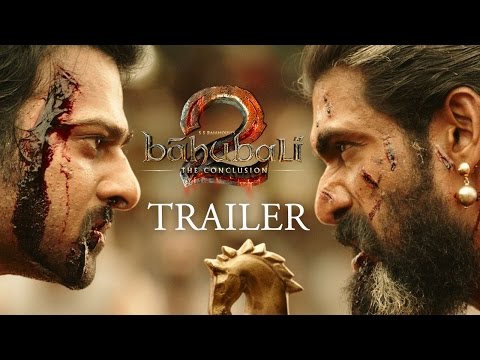
When Prabhas speaks Hindi in Baahubali, the voice you hear belongs to actor Sharad Kelkar, according to ThePrint and India TV. He went on to dub for Prabhas in later films as well. Good dubbing artists match not just the words but the emotion and timing of the original performance.
Listen for yourself in the official Hindi trailer of Baahubali 2:
An Industry of Its Own
According to a 2018 report by Indian Television, the dubbing industry then worked across TV, films and OTT, with teams assembled project by project. A theatrical film dub could take up to 30 days, and the South Indian dubbing artistes' union had over 2,000 members.
Why Platforms Love Dubs
Ormax Media's 2022 OTT audience report found that paid streaming viewers in India watch content in an average of 4.6 languages, but functionally understand only 2.3. That gap is exactly what dubs and subtitles fill. Ormax also found that about 70% of paid streaming viewers of Malayalam content don't understand the language and rely on dubs or subtitles.
Note: Not everyone prefers dubs. A 2019 YouGov survey reported by Entrepreneur India found most South Indian respondents preferred subtitles over dubbed audio.
Dub or Original: Which Should You Pick?
- Want the full performance? Choose the original audio with subtitles in a language you read well.
- Watching with family who prefer one language? The dub makes it easy for everyone.
- Watching action or spectacle? Either works, since the music and effects are the same.
Conclusion
Most big Indian films on OTT now carry several audio tracks. On Netflix, look for Audio & Subtitles; on Prime Video, the subtitles/audio menu; on ZEE5, Settings on mobile or Audio Track on the web. If the wrong language keeps playing, check your profile's language settings. And if you want to experience a performance as it was made, try the original audio with subtitles at least once.
Do you watch South Indian films in the original language or the dub? Do let us know on our social handles.
Source: help.netflix.com
Watch Next



Read Next
11 Must-Watch Hindi Biopics, and Where to Stream Them in India
From Paan Singh Tomar and Dangal to Shershaah, Sardar Udham and 12th Fail: 11 acclaimed Hindi biopics, the real people behind them, the awards they won, and where they're streaming right now.
Rajkumar Hirani Movies in Order: All 6 Films, How They Did and Where to Watch
Munna Bhai, 3 Idiots, PK, Sanju, Dunki: here's every film Rajkumar Hirani has directed, in order, with the cast, box office figures from named trackers, awards and where to stream them in India.
Brahmastra 2 Update: What Ayan Mukerji Actually Said at IFFI 2026
Headlines say Brahmastra 2 is 'confirmed'. Here's what Ayan Mukerji really said in Goa, why the sequel took so long, and what we still don't know about Part Two: Dev.