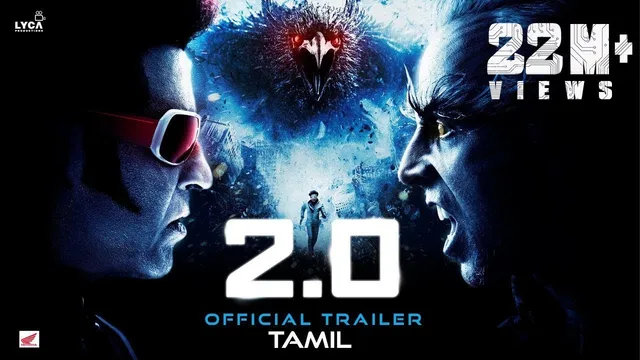
How to Watch Telugu and Tamil Movies With English Subtitles, Legally
Want to enjoy Telugu and Tamil films but don't speak the language? Here's how to turn on English subtitles on Netflix, Prime Video, ZEE5 and more, how to find subtitled titles, and why piracy sites aren't worth the risk.
You have heard everyone talk about the latest Telugu blockbuster or that Tamil thriller, but you don't speak the language. Or maybe you speak Telugu, and your friends from Mumbai want to watch your favourite film with you. Either way, English subtitles are the answer.
The good news is that you don't need a dodgy website to watch South Indian films with subtitles. In this guide, we explain how to turn on English subtitles on the major streaming apps, how to find films that have them, and why piracy sites are a bad idea. So, let's get right into it.
First, a Quick Reality Check
Not every film has English subtitles on every app. Netflix and ZEE5 both say on their help pages that subtitle availability depends on the title. Netflix adds that your country, profile language and device can also affect which subtitles you see.
So the steps below show you how to switch subtitles on. If English is not in the list for a particular film, it is usually because the platform does not have them for that title, not because you did something wrong.
Note: Many recent big-budget Telugu and Tamil films are released on OTT with subtitles because the platforms want audiences across India and abroad. But always check the title page or the subtitle menu before you start.
How to Turn On English Subtitles: App by App
Netflix
According to Netflix's help centre:
- Start playing the film.
- Open the playback controls and select Audio & Subtitles (the speech-bubble icon).
- Choose English under subtitles.
If English is missing, Netflix lists the usual reasons: the title does not have it in your country, your profile language is set differently, or your device has its own subtitle settings.
Amazon Prime Video
According to Prime Video's help pages:
- Start playing the film.
- Select the Subtitles / Closed Captions icon in the playback menu.
- Choose English.
On some devices, such as Roku and Apple TV, subtitles are controlled through the device's own caption settings instead.
Note: On Prime Video, some regional films are even listed with "(English Subtitled)" in the title, which makes them easy to spot in search.
ZEE5
According to ZEE5's help pages:
- Start playing the film.
- Tap the Subtitles button at the bottom right of the player.
- Choose English, or switch subtitles off.
One catch: ZEE5 says subtitles are not available on downloaded videos. If you want subtitles, stream instead of downloading.
SonyLIV
SonyLIV's help centre says you can choose Audio or Subtitles options from the player while watching. The languages offered depend on the title.
JioHotstar
JioHotstar is the app formed when JioCinema and Disney+ Hotstar merged. It launched on 14 February 2025, according to Bloomberg and Deccan Herald. Most players show a subtitle or CC icon during playback. We could not find official step-by-step instructions on its help pages, so check the player controls or the app's help section.
aha and Sun NXT
aha focuses on Telugu and Tamil content, and Sun NXT on South Indian content. We could not find their official subtitle instructions online. In most players, look for a CC or speech-bubble icon during playback, or check the in-app help section.
Quick Comparison
| App | Where subtitles are | Notes |
|---|---|---|
| Netflix | Audio & Subtitles menu | Depends on title and country |
| Prime Video | Subtitles/CC icon | Some titles labelled "English Subtitled" |
| ZEE5 | Subtitles button, bottom right | Not available on downloads |
| SonyLIV | Audio/Subtitles in player | Depends on title |
| JioHotstar | Subtitle/CC icon in player | Check the app's help for details |
Tips to Find Films With English Subtitles
- Check the title page first. Most apps list available audio and subtitle languages on the film's page or in the player menu.
- Search with the word "subtitled". On Prime Video, some regional titles include "English Subtitled" in the name.
- Try the dubbed version. Many big Telugu and Tamil films now stream in Hindi as well. If subtitles are missing, the Hindi audio may work for you instead.
- Set your profile language. On Netflix, your profile's language settings affect which subtitle options appear, according to its help centre.
What About Theatres?
Subtitled shows of Telugu and Tamil films are more common abroad, where cinemas showing Indian films often list releases "with English subtitles". In Indian cities outside the home states, they are less common, and booking apps don't always say whether a show has subtitles. If it matters to you, call the theatre before you book.
Why Not Just Use a Piracy Site?
We understand the temptation, but here are two good reasons to skip it:
1. It Is Illegal, and the Penalties Are Serious
The Cinematograph (Amendment) Act, 2023 brought in specific penalties for film piracy. Under the Act, making or showing an unauthorised copy of a film can lead to imprisonment of three months to three years and a fine of at least ₹3 lakh, up to 5% of the film's audited gross production cost, according to PRS Legislative Research and Deccan Herald.
2. It Is Risky for Your Device
A 2024 report by the Indian School of Business on piracy and cyber threats in India placed piracy websites in a high-risk category for malware. Pirated files and pop-up ads are a common way for malicious software to reach your phone or laptop. Your bank details are worth more than a free movie.
Note: Legal streaming also pays the people who made the film. That's how you get more of the films you love.
Conclusion
Watching Telugu and Tamil films with English subtitles is easier than ever. On Netflix, Prime Video, ZEE5, SonyLIV and JioHotstar, look for the subtitles or CC option in the player, and check the title page to see which languages are available. If one app doesn't have subtitles for a film, try another version or the Hindi dub. And skip the piracy sites: they are illegal and a security risk.
Which Telugu or Tamil film would you recommend to a friend watching with subtitles for the first time? Do let us know on our social handles.
Source: help.netflix.com
Watch Next